
Site Templates in Drupal – a New Way to Fast-Track Your Website Launch

Launching a Drupal site from scratch takes time – you need to select modules, configure content types, prepare a theme, and fill the site with sample content. Site templates are a new concept in the Drupal ecosystem that lets you skip most of this work and start with a nearly finished site in minutes. Read the article below.
In this article:
- What are site templates?
- Site templates vs traditional distributions
- Drupal CMS – platform for site templates
- Other site templates available for Drupal
- Summary of available site templates
- Technical aspects of site templates
- Site templates marketplace – store on Drupal.org
- Canvas and Mercury – tools for creating templates
- When to choose a site template?
- Site templates in Drupal – summary
What are site templates?
A site template is a recipe for a nearly complete website. Unlike traditional distributions based on installation profiles, site templates use the Drupal Recipes system introduced in Drupal 11.
To put it simply: a site template is a web page that’s 95% ready. All modules are installed and configured, the theme is adapted to the use case, and the site is filled with sample content. Just change the logo, colors, and text, and you’re good to go.
Key features of site templates:
- Nearly complete site – modules, configuration, content types, roles, and permissions are ready right after installation.
- Finished look – a responsive theme adapted to the use case, requiring only minor branding changes.
- Default content – sample pages, articles, products demonstrating the system’s capabilities.
- One-time use – the template serves only as a starting point for the project and is not used or updated after installation.
- No update path – no need to track template updates, you maintain the site like any regular Drupal site.
Site templates vs traditional distributions
For years, Drupal distributions (like Thunder CMS, Varbase, or Commerce Kickstart 2.x) were built as extensive installation profiles with many custom modules. This model has its drawbacks:
| Aspect | Traditional distribution | Site template |
|---|---|---|
| Technology | Install profile + custom modules | Drupal Recipe |
| Updates | Dependency on distribution maintainers | Like a regular Drupal site |
| Custom modules | Often required | Usually unnecessary |
| Lock-in | Hard to “exit” the distribution | Full flexibility |
| Maintenance | Tracking changes in distribution code | Only core and contrib |
Site templates solve the main problem of distributions: after installation, your website doesn’t differ from a regular Drupal site. You update core and contributed modules without having to wait for a new distribution version.
Drupal CMS – platform for site templates
Drupal CMS (formerly the Starshot project) was designed with site templates in mind. The installer displays available templates in a clear grid with screenshots. You choose one and after a few minutes you have a working site.
Byte – official site template from Drupal CMS
Byte is a site template created by the Drupal CMS team as an example of a SaaS product site.
It contains:
- a homepage with hero, features, and testimonials sections,
- a pricing page with a package widget,
- a blog with sample articles,
- contact forms,
- full SEO configuration.
Byte uses Canvas (visual page builder) and Mercury (component library) to build layouts without coding.
Other site templates available for Drupal
Beyond the official Byte from Drupal CMS, the community has already created several ready-to-use site templates. Interestingly, some of them – like Droopler and Open Intranet from Droptica – were created before the official announcement of the site templates concept on Drupal.org. Their architecture (simple installation profile + recipes + no custom modules) turned out to be aligned with what was later defined as the standard for site templates.
Below is an overview of available options.
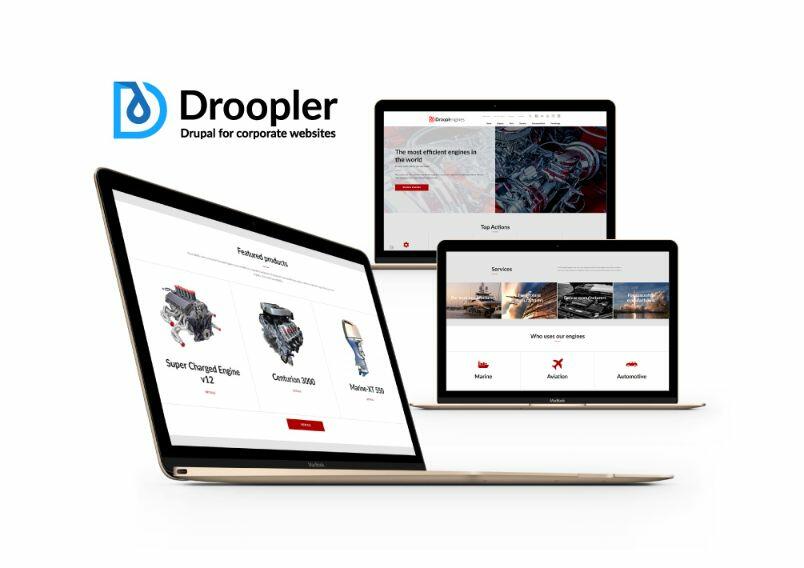
1. Droopler – corporate websites (Droptica)
Droopler 5.0 was released on January 17, 2025 as one of the first contrib site templates. It’s a system for building corporate websites from ready-made components. Editors arrange elements using drag-and-drop without programming knowledge.
Droopler was created at Droptica before the official site templates specification. A simple installation profile is used for installation, which can be uninstalled after setup. Thanks to this, after deployment the site behaves like regular Drupal. You update core and contrib modules without tracking changes in distribution code.
Droopler contains:
- a dozen ready-made components (banners, galleries, forms, text+image sections),
- a theme based on Radix,
- a news section with blog,
- SEO and performance optimization,
- Webform integration.
Installation:
git clone [email protected]:project/droopler.git droopler
cd droopler
./launch-droopler-cms.sh
More about Droopler on Drupal.org →
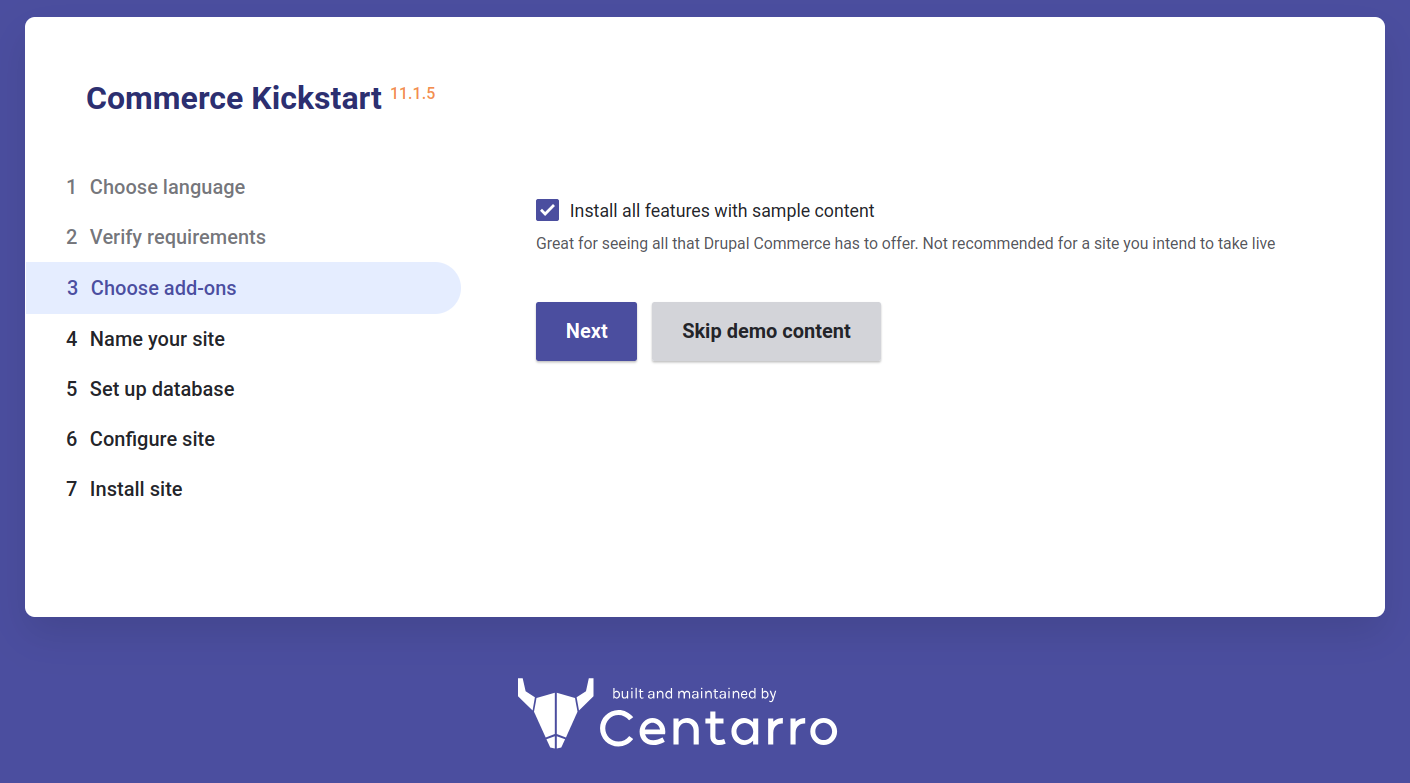
2. Commerce Kickstart 5.0 – e-commerce stores (Centarro)
Commerce Kickstart 5.0 from Centarro is a site template for online stores. It’s the successor to the classic Commerce Kickstart distribution, but built according to the new recipes philosophy.
Commerce Kickstart contains:
- Drupal 11 with Commerce Core,
- Centarro Commerce modules – payments, taxes, promotions,
- Commerce Store Wizard – store configuration creator,
- Centarro Toolbox – pre-launch checklist,
- Config Split – different configurations for dev/prod environments,
- optional demo store with catalog and sample products.
Source: Drupal.org
Installation:
composer create-project centarro/commerce-kickstart-project my-store3. Open Intranet – corporate intranets (Droptica)
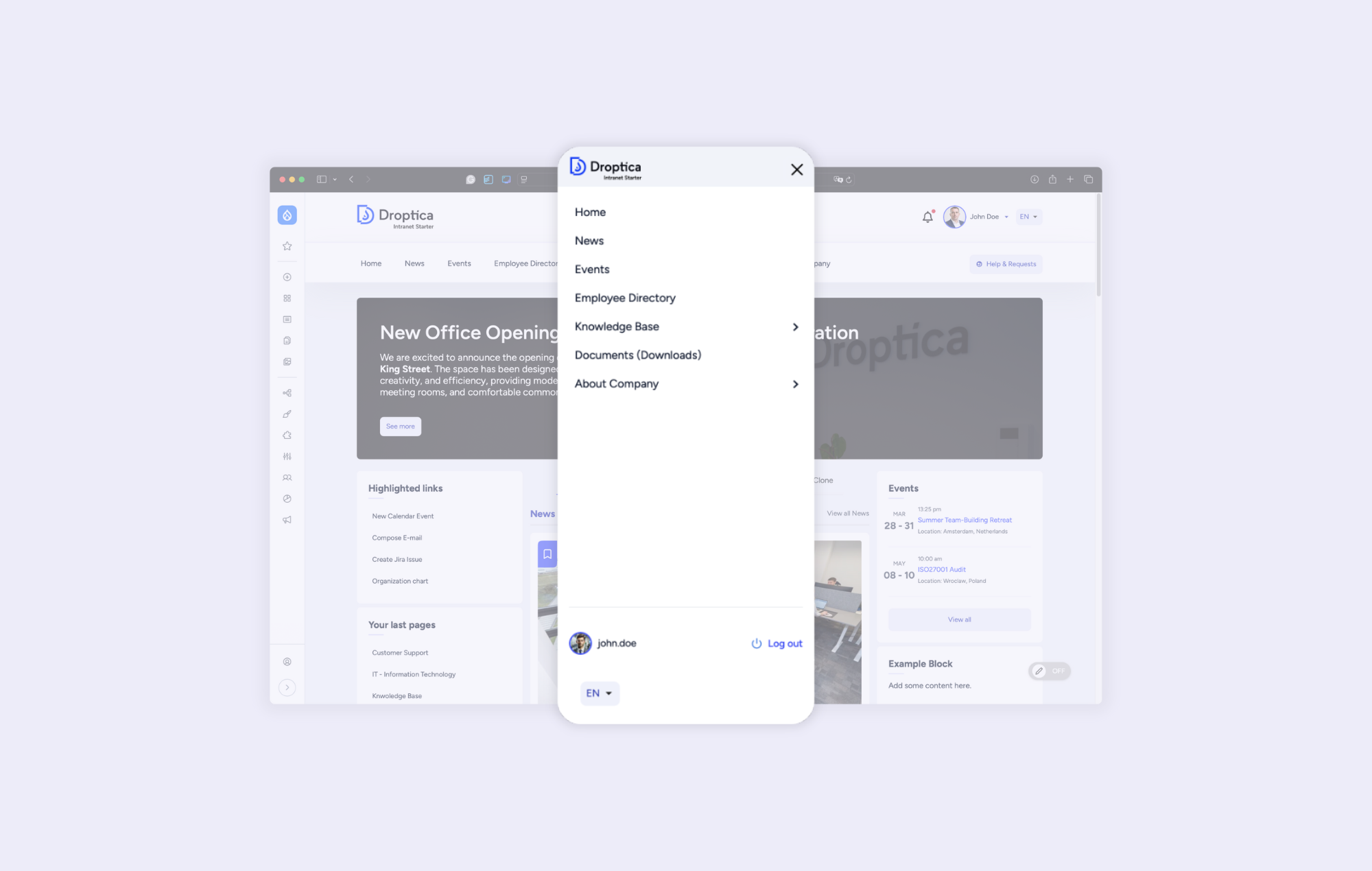
Open Intranet is a free site template for intranets on Drupal 11. Like Droopler, the project includes a simple installation profile based on Barrio, which can be disabled after installation and work with the site like with regular Drupal.
Internal communication, document management, employee directory, electronic forms – everything configured and ready to work.
Open Intranet contains:
- internal communication (posts, articles, announcements),
- corporate knowledge base,
- document management with version control,
- employee directory with organizational structure,
- electronic forms (requests, submissions),
- smart search,
- AI support for editors,
- integrations with Active Directory, Google Workspace, Microsoft 365.
More about Open Intranet and its installation →
4. CampusCMS – higher education websites (Droptica)
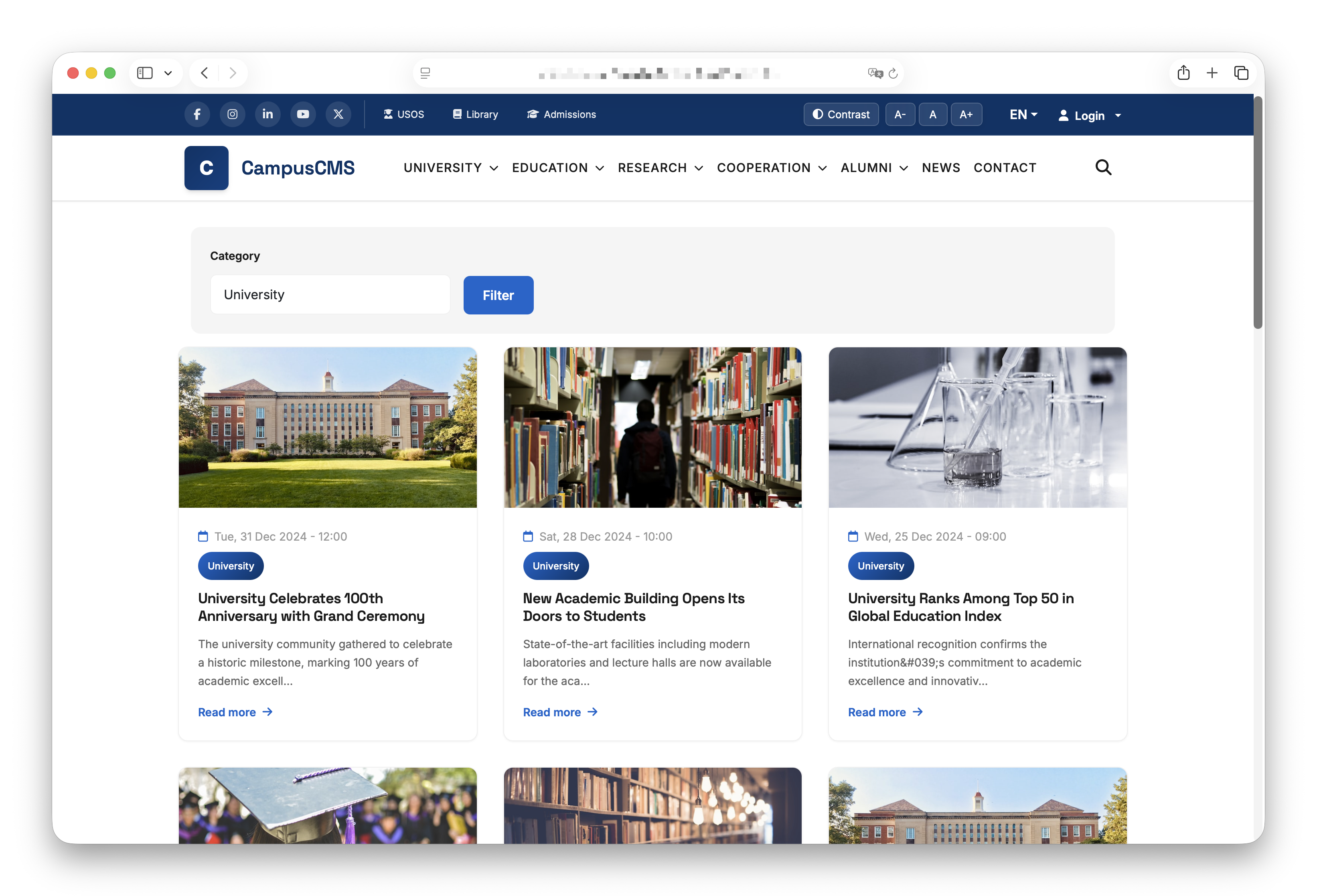
CampusCMS is the newest site template from Droptica, designed specifically for universities and educational institutions. It contains structures and features typical for university sites: information about study programs, recruitment, academic news, profiles of research staff, and much more.
CampusCMS contains:
- news and announcements with access control for students, staff, and departments,
- communication system: notifications, newsletters, and internal messages,
- calendar of events, academic dates, and exams,
- catalog of study programs, curricula, and university structure,
- profiles of research staff and teams along with achievements,
- document repository with version control and BIP compliance,
- roles and permissions tailored to the university's organizational structure,
- multilingualism, responsive design, and WCAG 2.1 AA compliance.
More information coming soon.
Summary of available site templates
| Site template | Use case | Creator | Release date |
|---|---|---|---|
| Byte | SaaS product site | Drupal CMS Team | 2025 |
| Droopler 5.0 | Corporate website | Droptica | 2025 |
| Commerce Kickstart 5.0 | E-commerce store | Centarro | 2025 |
| Open Intranet | Corporate intranet | Droptica | 2025 |
| CampusCMS | University website | Droptica | 2025/2026 |
All listed site templates are available as open source and can be installed for free.
Technical aspects of site templates
Drupal Recipes
Site templates are based on the Drupal Recipes system introduced in Drupal 11. A recipe is a set of instructions that:
- install and configure modules,
- create content types, taxonomies, roles,
- import configuration,
- add default content.
Unlike regular recipes (which can be applied at any time), site templates are designed for one-time use at the beginning of a project.
Site template identification
In the recipe.yaml file, a site template must have the type site:
name: My Site Template
description: A complete website ready to customize
type: site
Thanks to this, the Drupal CMS installer recognizes it as a site template and displays it in the selection gallery.
Exporting a site as a site template
Drupal CMS includes a tool for exporting an entire site as a recipe:
drush site:exportThe command generates a complete recipe with all configuration, content, and dependencies. You can build a site visually, then export it as a template to share with others.
Site templates marketplace – store on Drupal.org
The site templates marketplace is the next step in the development of the Drupal CMS ecosystem.
Launch in March 2026
At DrupalCon Chicago in March 2026, the Trusted Site Template Marketplace will launch – an official store with site templates on Drupal.org. This is an initiative approved and funded by the Drupal Association as part of the Vision Fund.
What does the marketplace offer?
- Free and paid templates – both open source and commercial.
- Revenue sharing – template creators will be able to earn from their products.
- Curated templates – about 15 verified site templates at launch.
- Integration with Drupal CMS installer – template selection directly during installation.
Ability to sell your own templates
The marketplace opens new opportunities for:
- Drupal agencies – monetizing repeatable products.
- Freelancers – selling ready-made templates.
- Product companies – distributing specialized products.
Just export your site as a recipe and publish it on Drupal.org.
Canvas and Mercury – tools for creating templates
Canvas is a visual page builder being developed for Drupal CMS, designed to enable building the entire site appearance without writing code. Meanwhile, Mercury is a UI component library designed as a starter kit for site templates.
Ultimately, creating a site template should look like this:
1. Install Drupal CMS.
2. Build the site visually in Canvas.
3. Export as a recipe.
4. Publish on Drupal.org (free or paid).
Without touching code, without knowledge of PHP or Twig.
When to choose a site template?
A site template works well when:
- You want to launch quickly – you have days, not weeks to get the site running.
- You don’t need unique architecture – standard blog, corporate site, store, intranet.
- Easy site maintenance matters to you – you want to update Drupal without distribution dependencies.
- You have a limited budget – open source template + minor customizations = cheaper than building from scratch.
A site template may not be the best choice when:
- You need highly custom information architecture.
- You have specific integration requirements from day one.
- You prefer building everything from scratch with full control.
Site templates in Drupal – summary
Site templates are the evolution of Drupal distributions – simpler, more flexible, and easier to maintain. Instead of lock-in to an extensive installation profile, you get a starting point that behaves like a regular Drupal site after installation.
Currently available site templates:
- Byte – SaaS product site (Drupal CMS).
- Droopler – corporate websites (Droptica).
- Commerce Kickstart – e-commerce stores (Centarro).
- Open Intranet – intranets (Droptica).
- CampusCMS – university websites (Droptica).
What’s ahead:
- Marketplace on Drupal.org (March 2026).
- Ability to buy and sell templates.
- Development of Canvas and Mercury.
- More ready-made templates from the community.
If you’re planning a new Drupal site, consider starting with a site template instead of building from scratch. You’ll save time on initial configuration and avoid long-term distribution maintenance issues.
Need help choosing or implementing a site template? Contact us.