Open Social ® for online communities: when it fits and when an intranet is better

Open Social is an open source Drupal distribution for building online communities with profiles, groups, events, activity streams and member interaction. This updated guide walks through installation, core features and practical pros and cons from a hands-on review, and explains when Open Social fits public or member communities better than an employee intranet.
If you are comparing platforms for internal communication, start with our guides on what an intranet is and why it is worth implementing, the intranet for your business, and why CTOs and HR departments choose Drupal for corporate intranets. Still choosing a CMS? See our comparison of 12 content management systems.
In this article:
- What is Open Social and who uses it?
- How do you install Open Social?
- How does the Open Social interface work?
- How do groups work in Open Social?
- What content types does Open Social offer?
- How do user profiles and private messages work?
- Can you customize Open Social on Drupal?
- What are strengths and limitations of Open Social?
- Should you choose Open Social or an intranet?
- What community building lessons apply from Open Social demos?
- What related resources help with communities and intranets?
- Want to build an online community or employee portal on Drupal?
What is Open Social and who uses it?
Building an online community is a major challenge for associations, NGOs and member networks. Remote work made digital collaboration more important, but community platforms and employee intranets solve different problems. This article focuses on Open Social as a Drupal-based community platform.
Open Social is an open source distribution built on Drupal. The project homepage is getopensocial.com, and installation files are published on Drupal.org. The project launched in 2013 and has years of feature development behind it. Open Social has also received venture funding to accelerate product development.
According to Open Social, hundreds of community platforms worldwide run on the distribution. One well-known example is Greenpeace, which uses community hubs for volunteer mobilisation. See the Greenpeace Open Social case study for implementation context.
How do you install Open Social?
Installation follows the same pattern as Drupal. Full steps are documented on Drupal.org Open Social installation docs. Download the codebase with Composer using the commands listed on the social project page.
During installation, Open Social offers optional feature modules you can enable on the configuration form. Some are checked by default; you can toggle the rest based on scope.
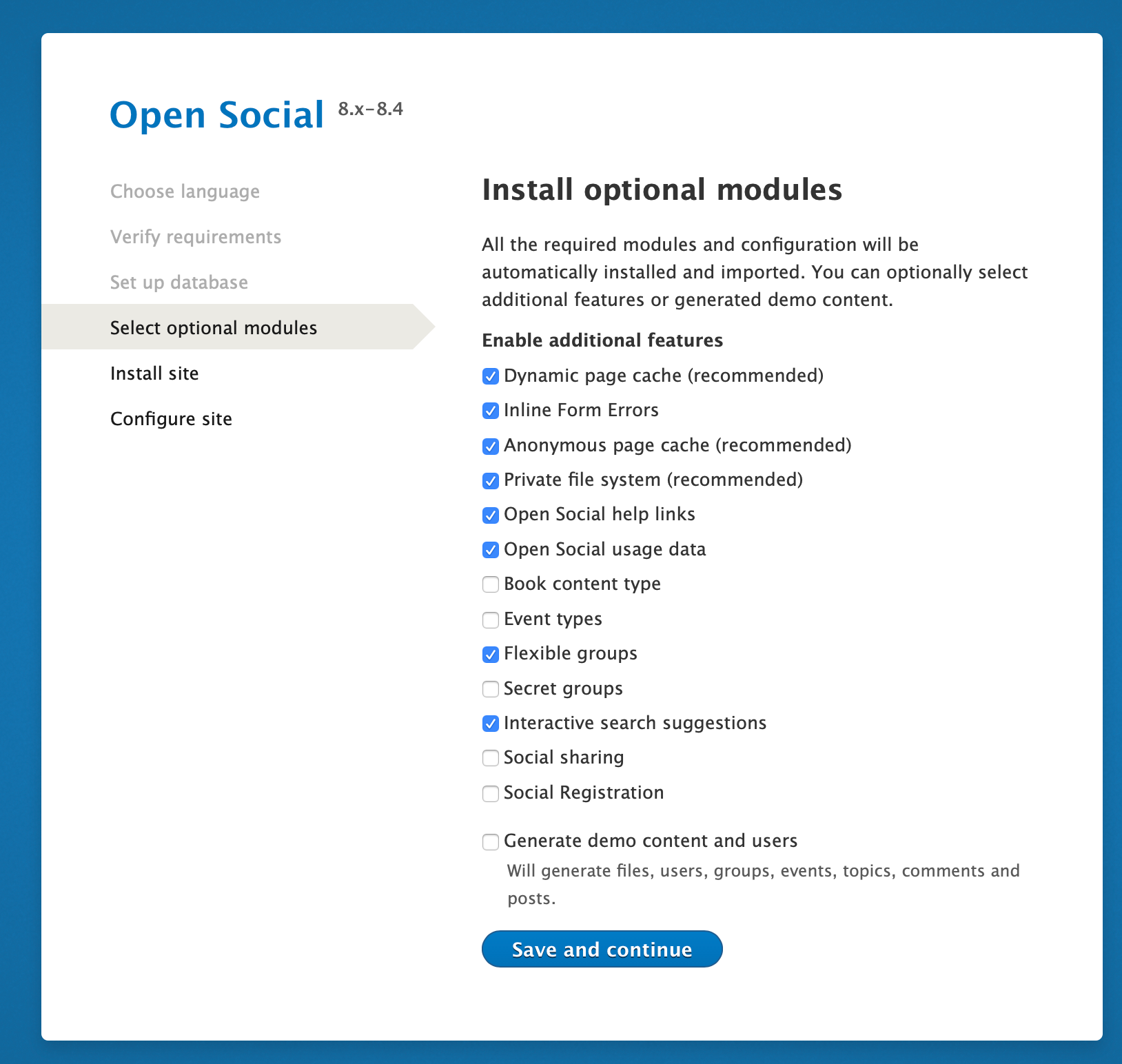
If this is your first Open Social installation, enable all modules once on a test environment to explore the full feature set.
For production, run a trial installation on a staging server or locally for several days before go-live. That helps you validate group types, permissions and editor workflows with real content.
How does the Open Social interface work?
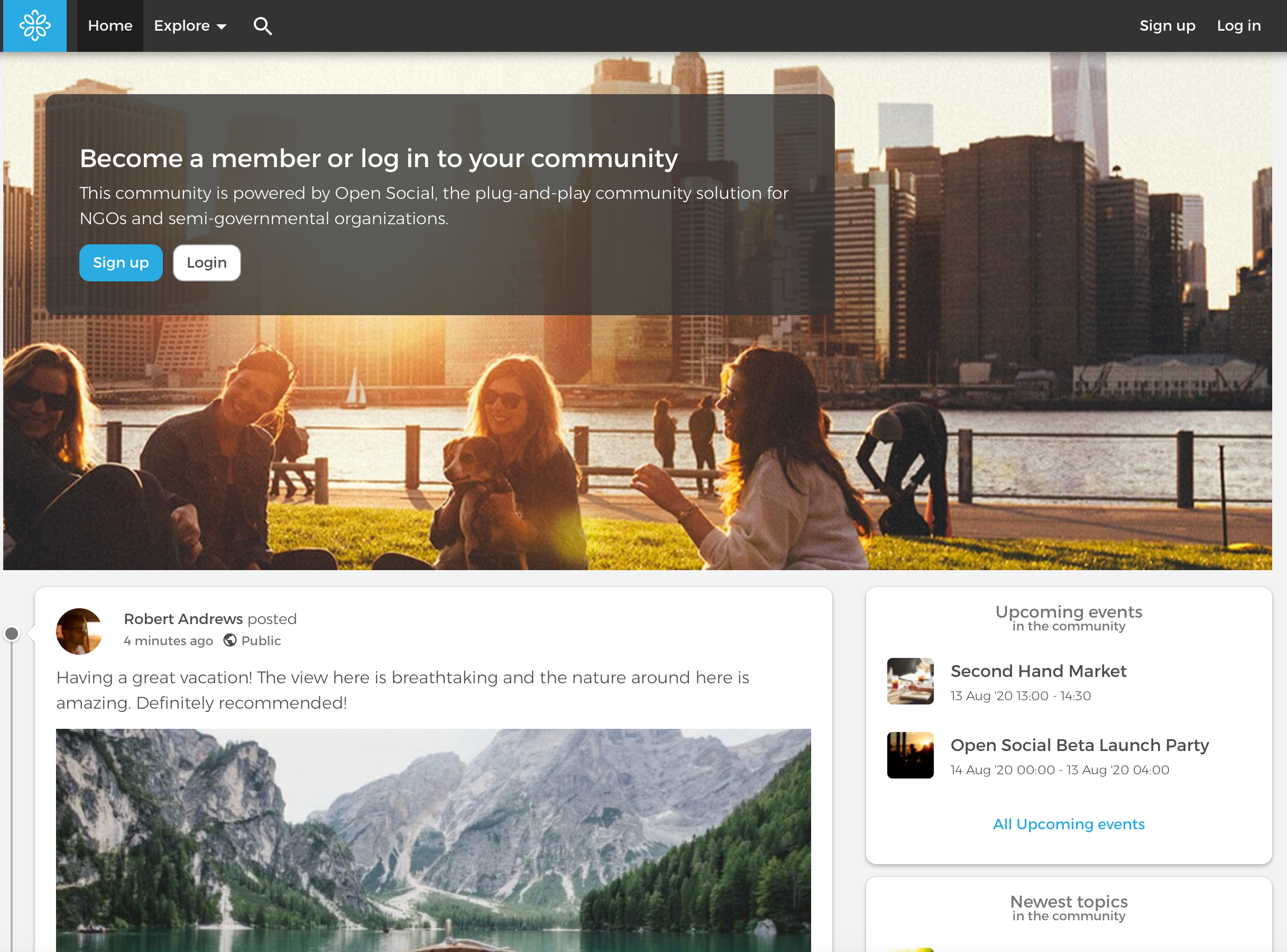
After login, the header combines navigation, search and member actions. The layout works on desktop and mobile, which matters for volunteer and field teams.
System header
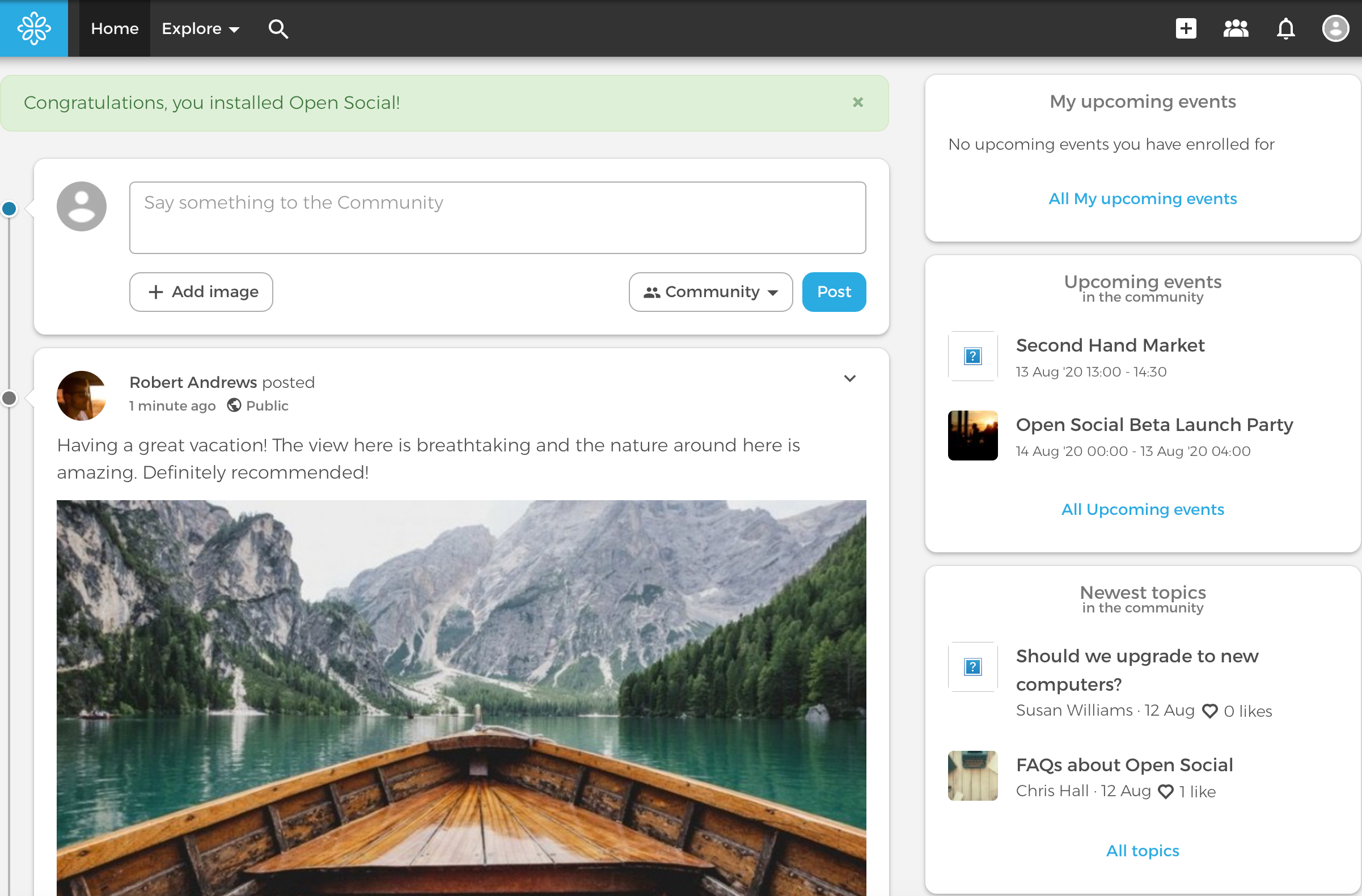
The top bar includes links and icons. On the left you see the logo, the Explore section for browsing content and users, and a search icon. On the right you get shortcuts to add content, open your groups list, view notifications and open your profile.
Main page and activity stream
The home page uses two columns. The wider left column (about two thirds) shows an activity stream, similar to a social wall. A composer form at the top lets members post text and images with visibility controls for logged-in users or public visitors.
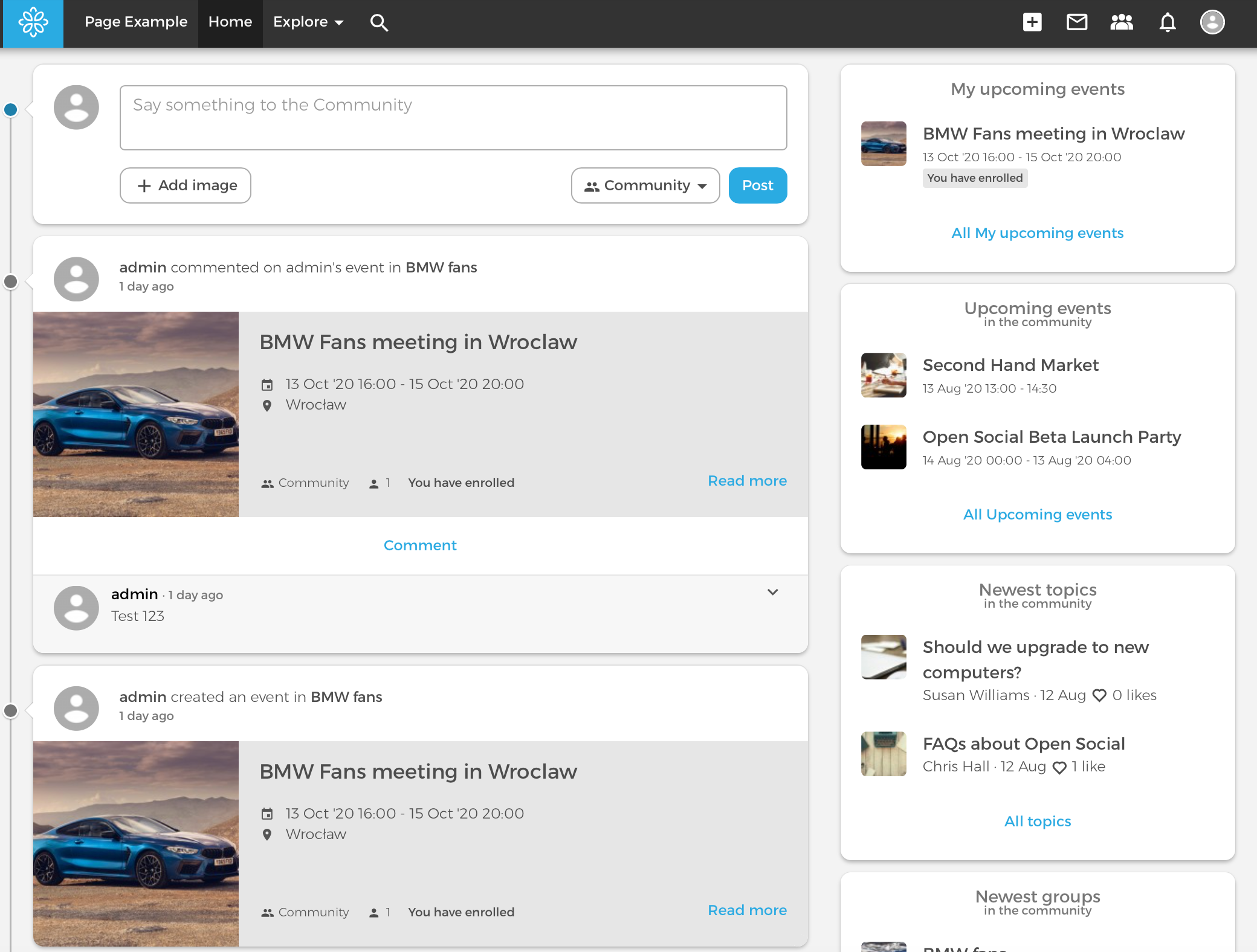
The right column surfaces upcoming events, new topics, newest groups and new users so members can scan fresh activity quickly.
Post layout
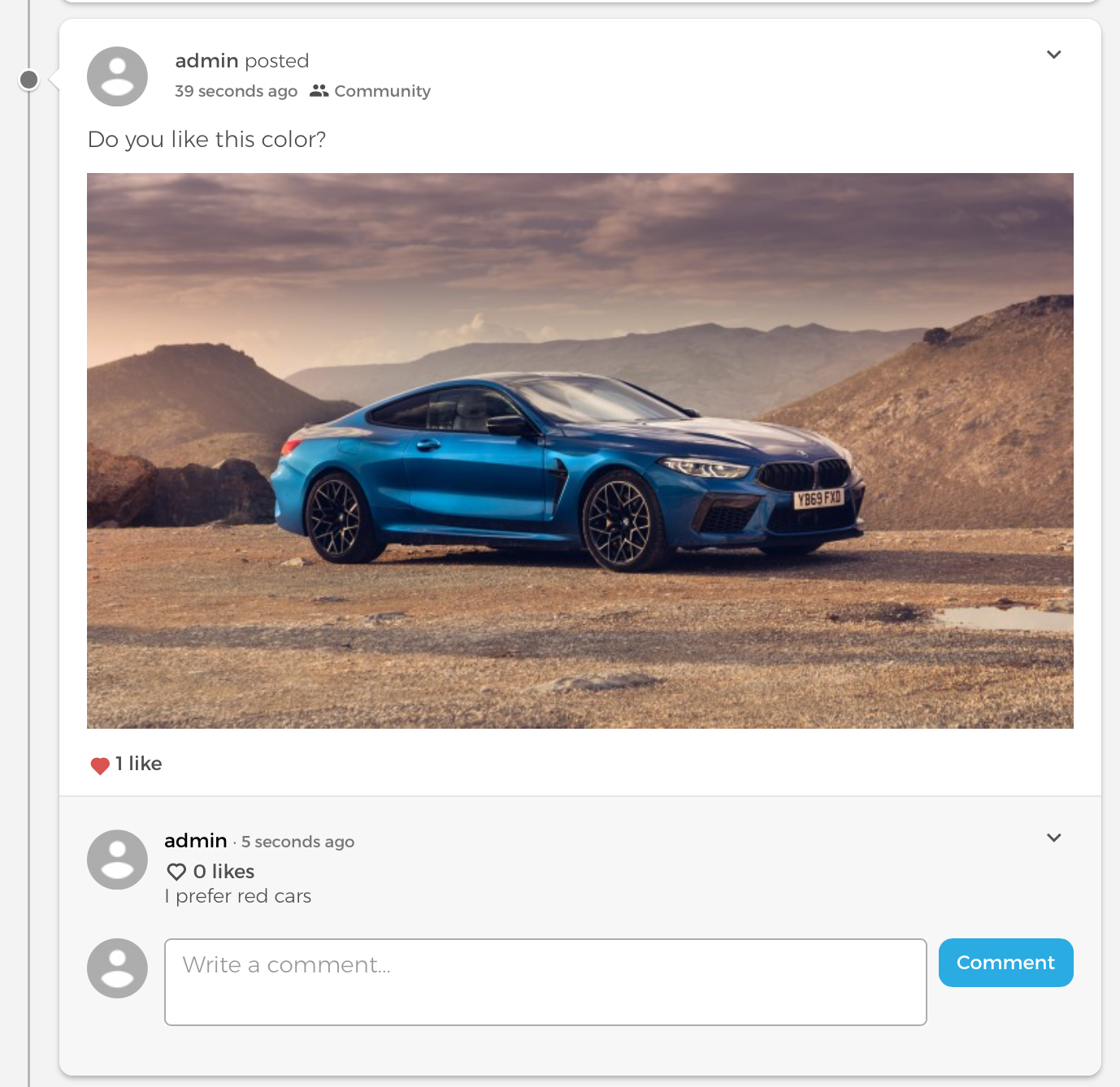
Posts follow familiar social network patterns, which lowers the learning curve for members.
Each post shows:
- Author: who published the update.
- Context: where the post appeared (group, event, etc.).
- Date and visibility: when it was published and who can read it.
- Content and media: text, optional image, likes and comments.
- Author actions: edit or delete controls for the post owner.
How do groups work in Open Social?
Groups are the core of most Open Social implementations. Use them for project teams, interest groups, regional chapters or office locations.
How do you create a new group?
When you create a group, you first choose a group type:
- Public group: visible to everyone; anyone can join without approval; content visible to logged-in and anonymous visitors.
- Open group: visible to everyone; anyone can join without approval; content visible only to logged-in users.
- Closed group: listed publicly; join by moderator invite; content visible to members only.
- Secret group: hidden from listings; join by invite; content visible to members only.
- Flexible group: custom visibility and membership rules.
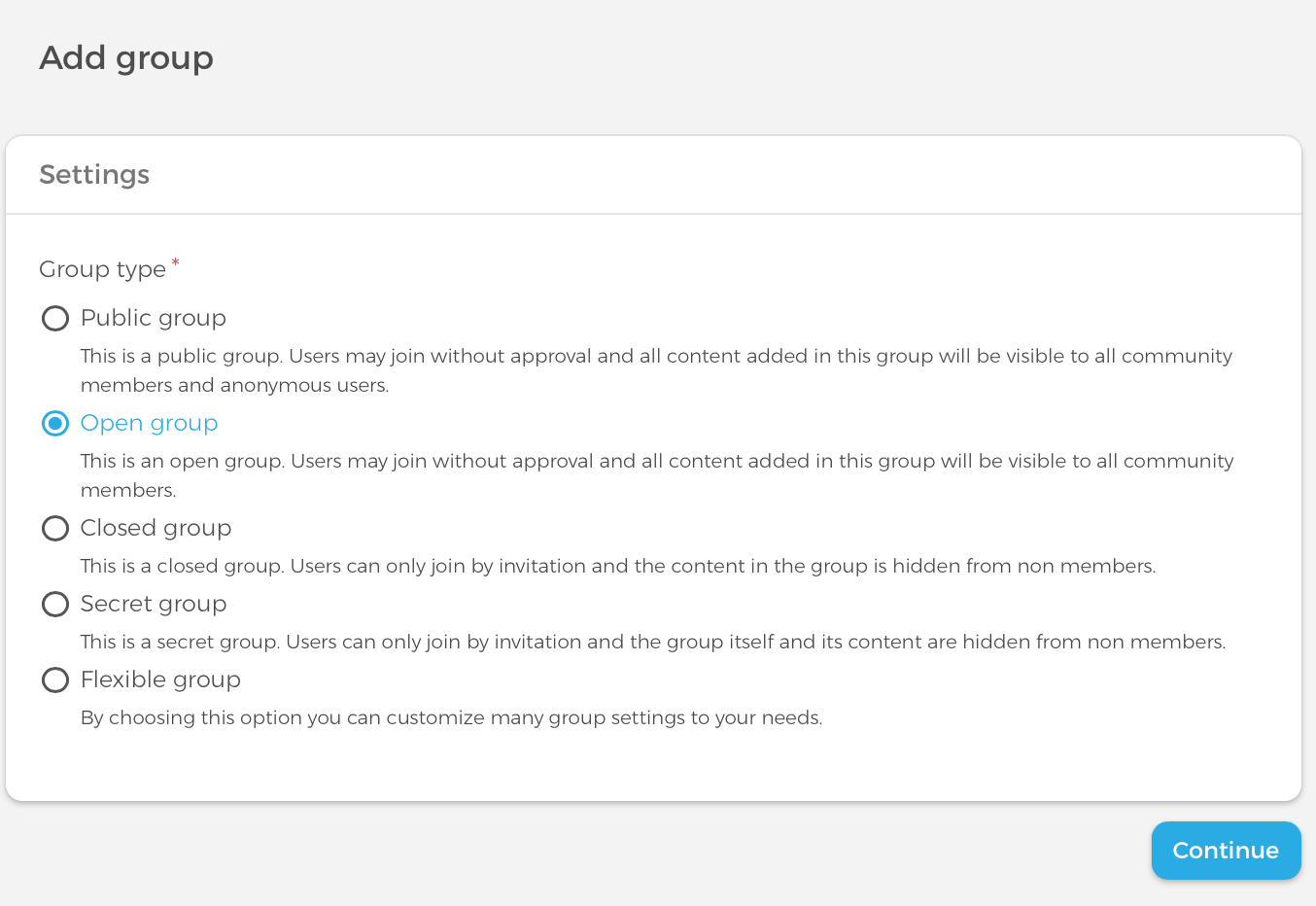
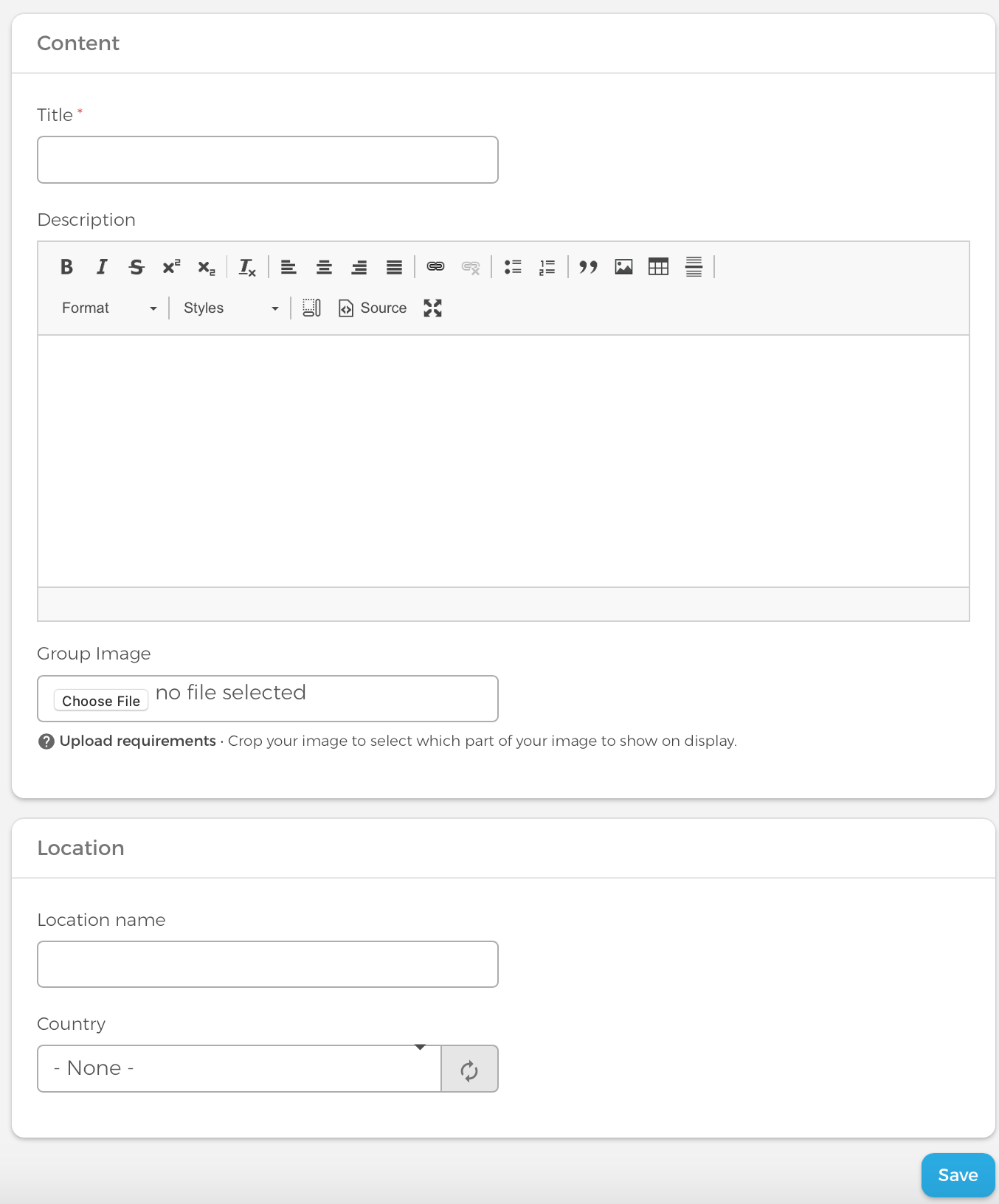
In the second step you add a name, description, photo and optional location (country, city or street). A group image improves discoverability in group listings.
How do you browse and add group content?
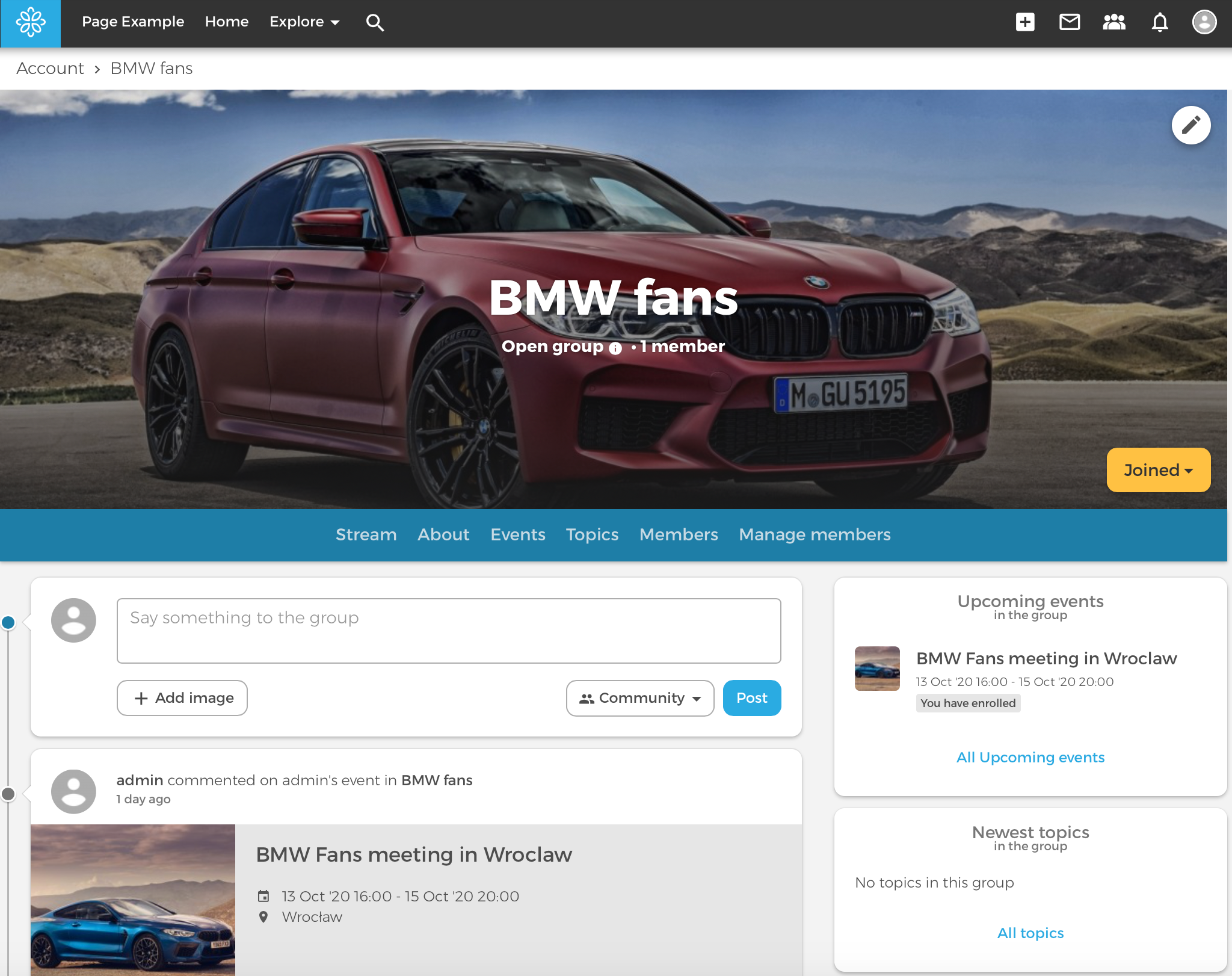
A group page has three areas: a header with name, photo, type, member count and menu; a main stream for group posts; and a sidebar with upcoming events, topics and new members.
What content types does Open Social offer?
Beyond short posts, Open Social ships content types for events, longer articles and campaign landing pages.
Events
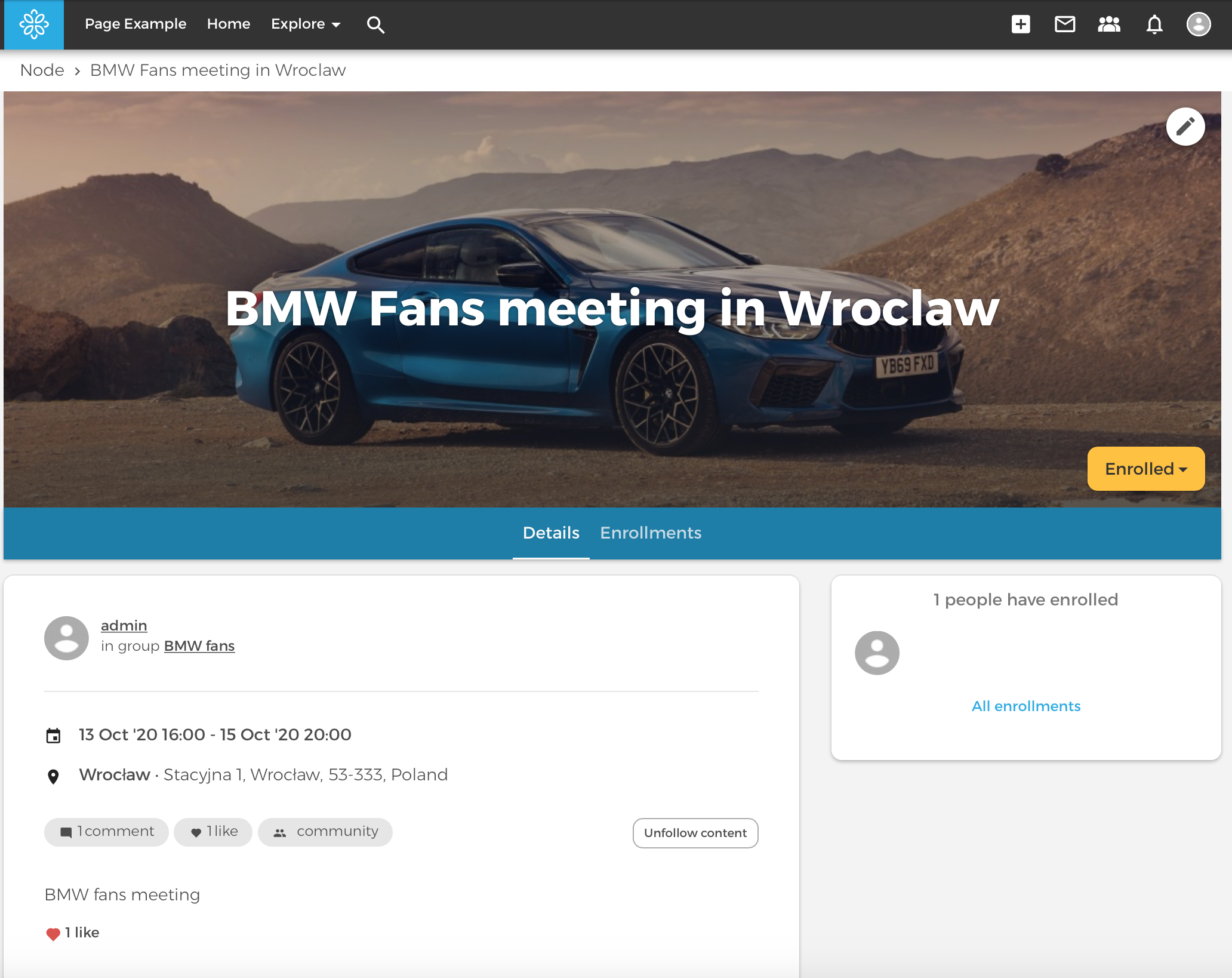
Events include title, description, image and start/end dates, similar to event modules on consumer social networks. You can attach an event to a group and restrict visibility to members or logged-in users. Organisers can publish programme updates and view attendee lists.
Topic content type
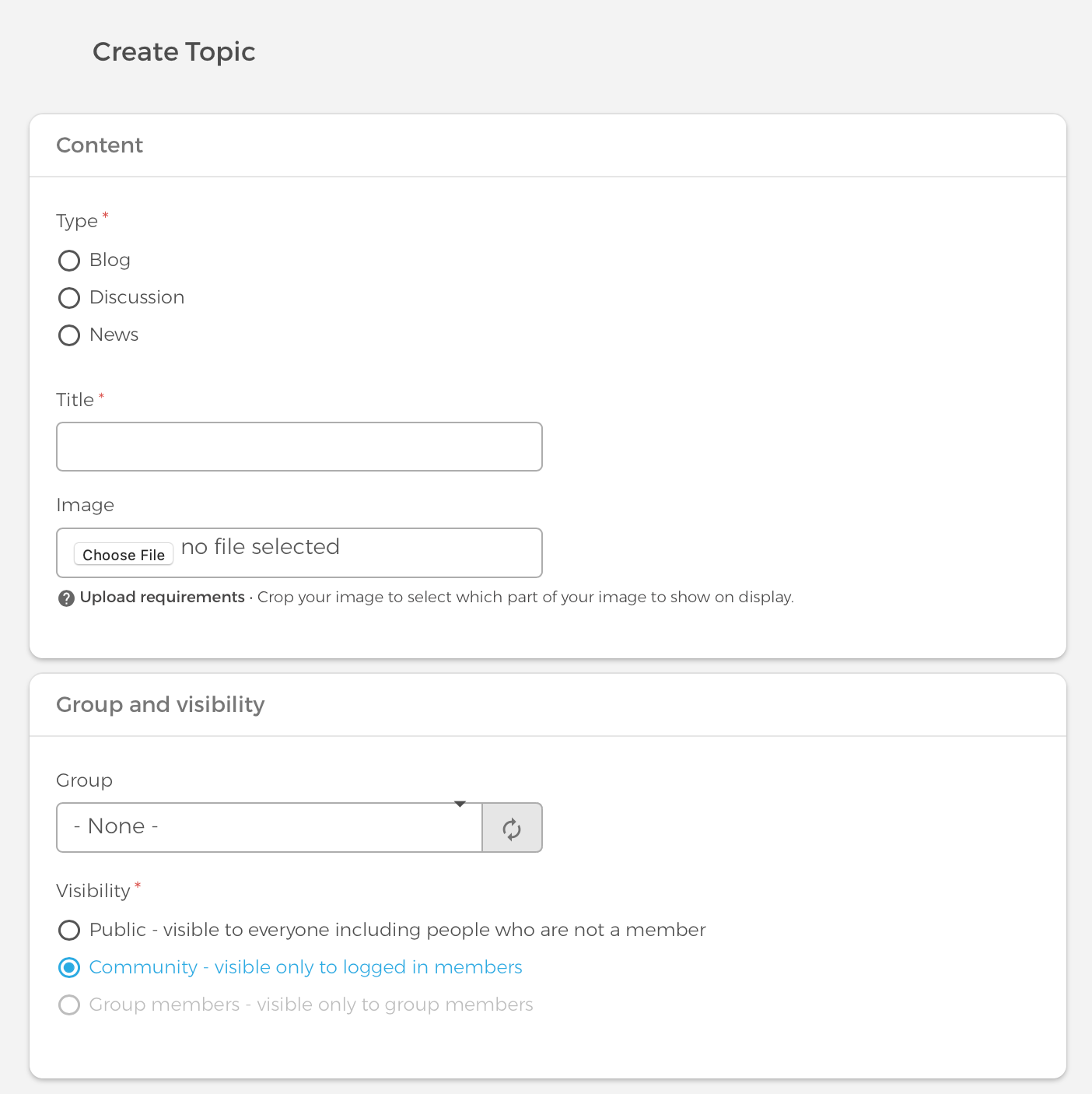
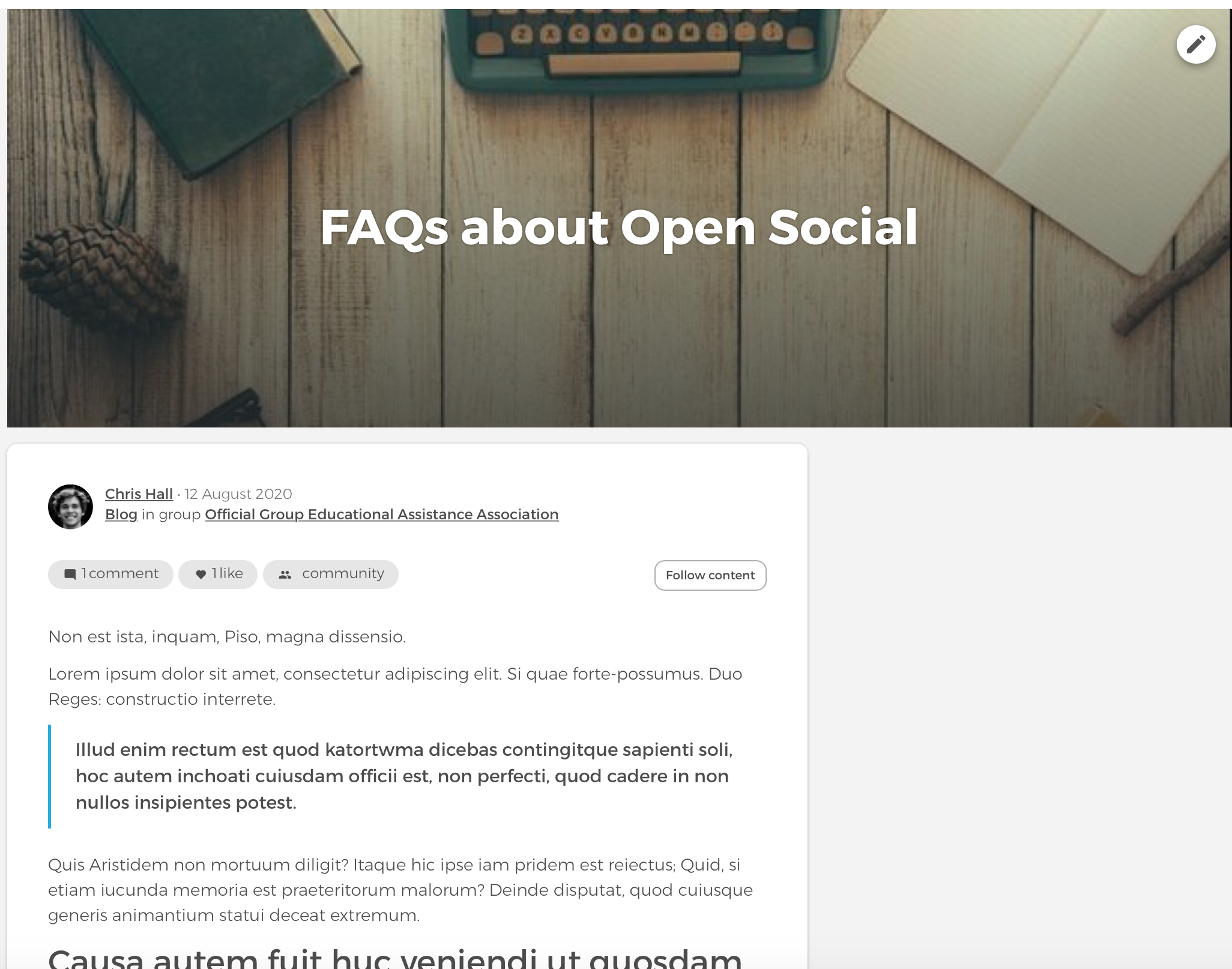
Topics support longer posts. When creating a topic, choose blog, discussion or news, then add title, lead image, visibility rules and optional group assignment. The description field holds the main body, and you can attach files.
Landing page content type
Landing pages use the Paragraphs module. Editors assemble pages from ready-made components, similar to Droopler but with a smaller component set. These pages help promote events or groups in paid campaigns on LinkedIn, Facebook and other channels.
In the video embedded in the original walkthrough, you can see how editors add landing page sections in the UI.
How do user profiles and private messages work?
User profiles
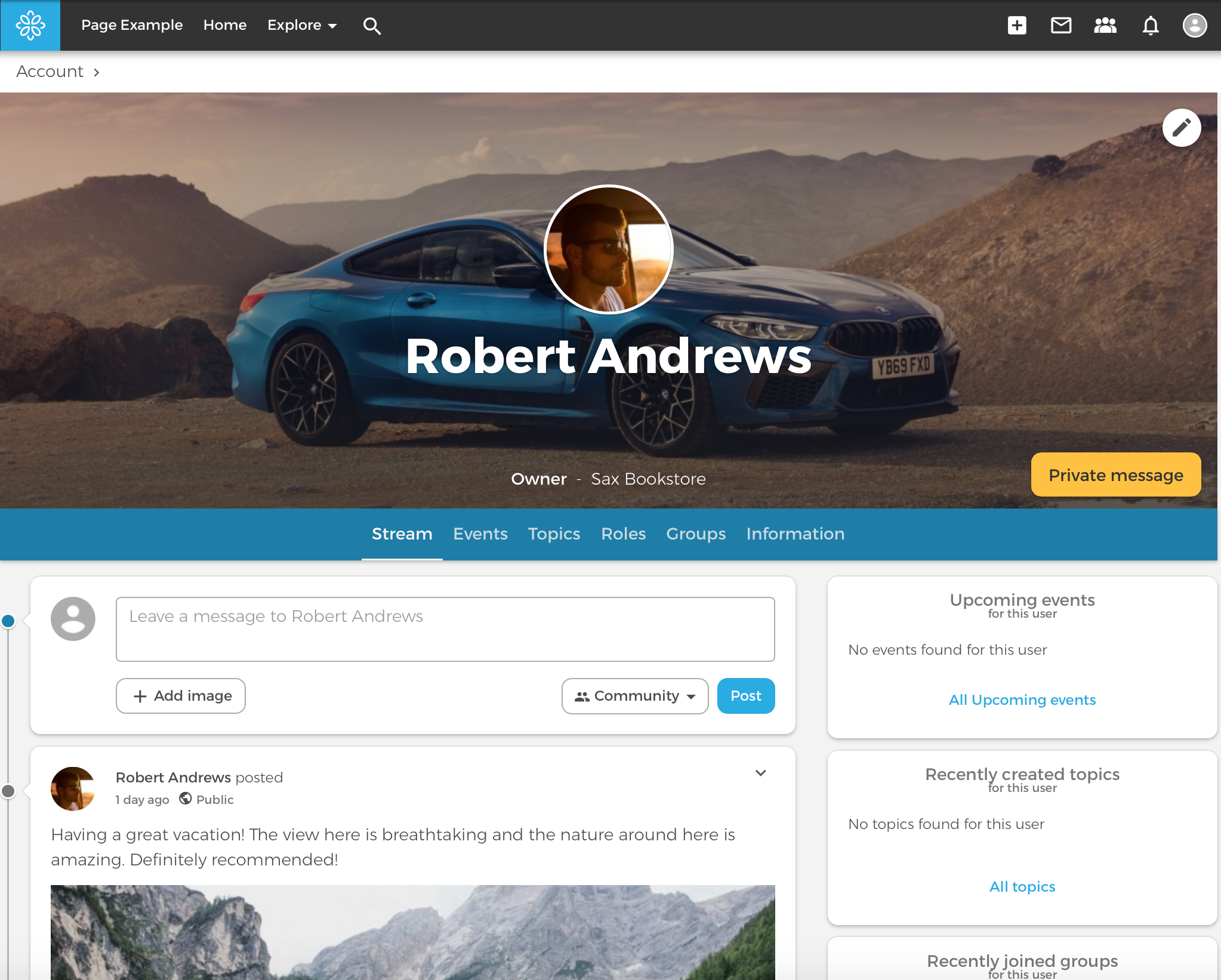
Profiles support avatar and cover images, role and organisation (for example, Developer at Droptica), phone number and a bio with experience and interests.
Private messages
Members can send direct messages or create small group chats, similar to consumer social apps. Enable the private message module after installation if it is not active by default.
Can you customize Open Social on Drupal?
Open Social ships many features out of the box, but you can extend it like any Drupal distribution. The codebase is open source PHP on Drupal, so agencies can add custom modules, integrations and themes. That flexibility matters when you need SSO, CRM sync or bespoke workflows.
What are strengths and limitations of Open Social?
The notes below come from our 2020 hands-on review. Newer Open Social releases may have addressed some UX items; treat this list as evaluation prompts, not a current release changelog.
Limitations we noticed in 2020
- Adding a post reloads the page instead of using in-place updates.
- Commenting on a post lower on the home stream does not scroll you to the new comment.
- The event edit form lacked a cancel action to discard changes.
- Some breadcrumb paths for basic pages led to an empty placeholder page.
- Media reuse was limited compared with Droopler 2.x workflows.
Strengths worth keeping
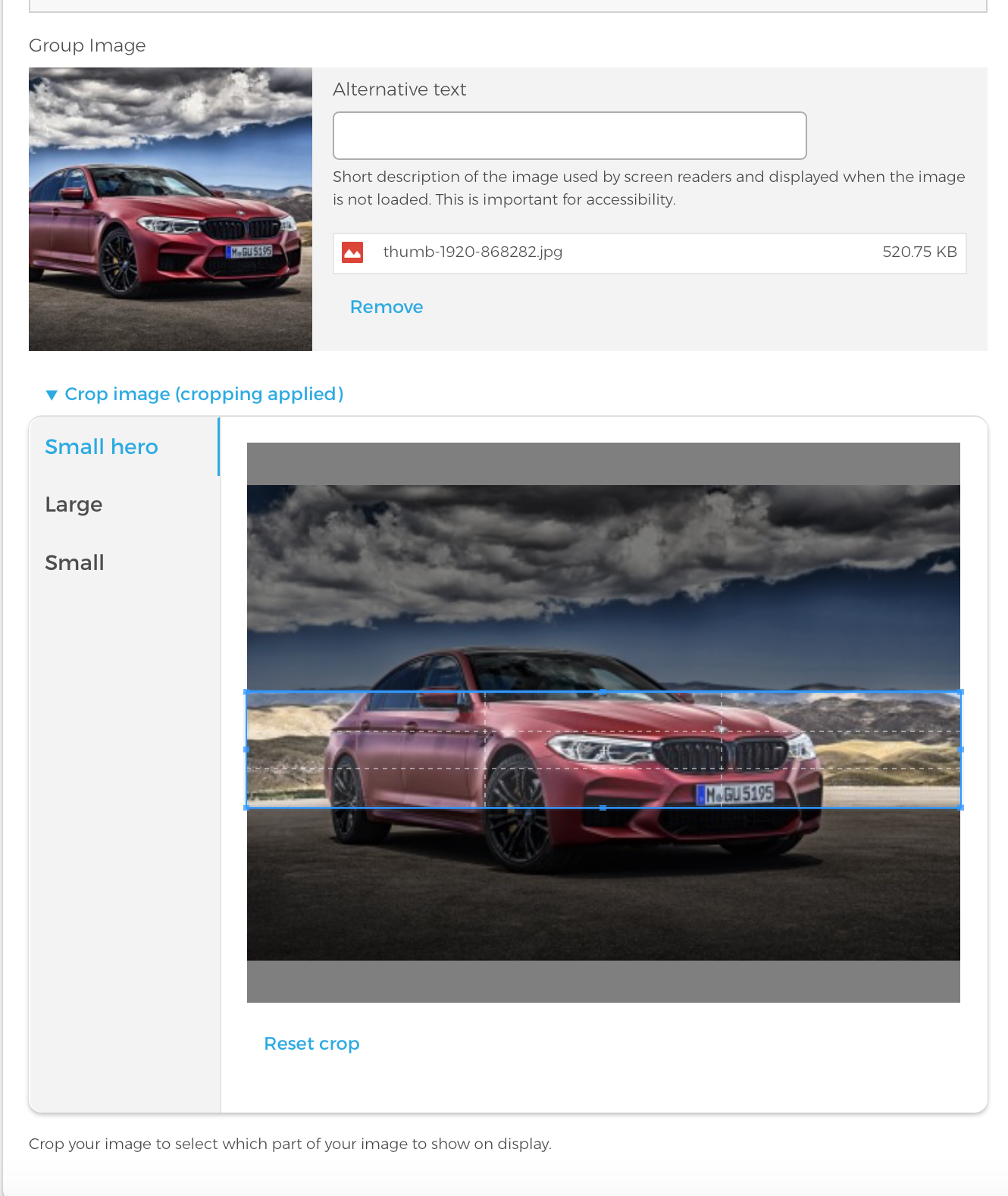
- Image cropping makes group and event visuals look polished in listings.
- Header navigation is clear; icons map well to common tasks.
- Post layout feels familiar to anyone used to Facebook-style feeds.
- Search panel animation and global search are easy to discover.
- Landing pages give marketers a practical tool for external campaigns.
Should you choose Open Social or an intranet?
Open Social is a strong fit when the main goal is to build a community: profiles, groups, events, activity streams and member interaction. That makes sense for associations, public communities, alumni networks and knowledge-sharing spaces where users interact with each other.
An intranet has a different center of gravity. It is usually built around company news, documents, employee directory, knowledge base, events and access to internal information. Interaction still matters, but governance, permissions and content ownership are often more important. Read what an intranet is and why companies implement one and how an intranet supports daily business operations for that side of the decision.
If your project is closer to internal communication than public community building, compare Open Social with Open Intranet by Droptica. For enterprise rollouts, see also why CTOs and HR departments choose Drupal for corporate intranets.
What community building lessons apply from Open Social demos?
Open Social publishes demo walkthroughs on YouTube, including a longer product tour (Open Social demo video). We did not paste a transcript here; these are the practical takeaways that still match the platform and our field work:
- Define group types first: decide public, closed or secret groups before you invite members so moderation rules stay consistent.
- Mix short posts with topics: use the activity stream for updates and topic content for guides, discussions and news that need structure.
- Plan events as hubs: tie programme posts and attendee lists to events when campaigns have a calendar rhythm.
- Use landing pages for acquisition: promote groups and events outside the platform with Paragraphs-based landing pages before you scale paid traffic.
- Stage with all modules enabled: run a full-module test site for at least a few days to validate permissions, notifications and private messaging.
What related resources help with communities and intranets?
Use these Droptica articles when you compare community platforms and employee portals:
- What is an intranet and why is it worth implementing in your company?
- The intranet for your business
- Why CTOs and HR departments choose Drupal for corporate intranets
- 12 best content management systems: 2025 review and comparison
- Open Social product site
- Open Social project on Drupal.org
Read also: what an intranet is and the intranet for your business when your brief mixes community features with employee communication.
Want to build an online community or employee portal on Drupal?
We help organisations evaluate Open Social, Open Intranet and custom Drupal community platforms before they commit to a rebuild. That includes group governance, SSO, migration from legacy tools and launch planning for member or employee audiences. Implementations such as Greenpeace community hubs show how Drupal distributions scale for volunteer networks in production.
Need help choosing between a public community and an employee intranet? Visit our intranet systems services page or explore Drupal development services for custom community features. For a product-first internal portal, see Open Intranet by Droptica.