Real-Time Data Synchronization for RAG. How to Keep Your AI Chatbot’s Knowledge Fresh

Your marketing team just published an important policy update. Two hours later, a user asks your AI chatbot about the new policy, and it confidently explains the old version—completely unaware that anything changed. The user, confused by the discrepancy with what they read on the website, opens a support ticket asking why the chatbot is "broken." Your team explains that the chatbot needs manual re-indexing, which happens nightly. The user's trust in your AI system drops significantly.
This is the hidden brittleness of static RAG implementations: the knowledge base becomes stale the moment content changes. In fast-moving organizations where documentation, policies, and product information update daily or even hourly, a chatbot with yesterday's knowledge is worse than no chatbot at all. Users expect current information, and when the AI fails to deliver, they stop using it.
We faced this exact challenge while building an AI document chatbot for a professional knowledge management platform publishing dozens of articles and updates weekly. Through implementing a real-time synchronization system using webhooks and nightly consistency checks, we achieved updates visible to users within 30 seconds while maintaining system reliability across 11 different content types.
In this article, I'll walk you through the stale knowledge problem, explain our dual-layer synchronization architecture, share implementation details with production code examples, and help you decide when real-time RAG makes sense for your application.
In this article:
- What is the stale knowledge problem in static RAG?
- Real-time data synchronization to the rescue
- How does a real-time synchronization architecture work?
- How is real-time data synchronization implemented in practice?
- What results can real-time sync deliver in production?
- When real-time sync makes sense (and when it doesn't)
- Real-time data synchronization for RAG – conclusion
- Want to build real-time RAG systems?
What is the stale knowledge problem in static RAG?
Most RAG systems treat indexing as a one-time or scheduled batch operation. You scrape or load your documents, chunk them, generate embeddings, store them in a vector database, and consider the job done. This works perfectly—until your content changes.
Traditional indexing approaches
Traditional indexing approaches rely on periodic or manual updates that inevitably introduce delays between content changes and what the chatbot can retrieve.
Batch indexing
Organizations typically re-index their entire knowledge base on a schedule: weekly, daily, or (optimistically) hourly. A script runs, processes all documents, regenerates embeddings, and updates the vector database. Simple, predictable, and increasingly inadequate.
Manual triggers
Some teams implement "re-index now" buttons that content managers click after publishing changes. This requires discipline, adds friction to content workflows, and inevitably gets forgotten during busy periods or urgent updates.
Full scheduled re-indexing
The most common approach: nightly cron jobs that re-process the entire knowledge base. This ensures eventual consistency but creates a window of hours or days where the chatbot operates on stale information.
Real-time data synchronization to the rescue
Real-time data synchronization eliminates these staleness windows by automatically updating the knowledge base within seconds of content changes. Instead of waiting for scheduled jobs or requiring manual triggers, the system receives webhook notifications the moment editors save changes in the CMS. This event-driven approach means users always query current information without any coordination between content teams and technical operations.
How does a real-time data synchronization architecture work?
Our production solution implements a dual-layer approach that balances immediate responsiveness with long-term consistency. The architecture consists of four key components working together to ensure chatbot knowledge stays current.
Component 1: Webhook-based re-indexing
The foundation of real-time data synchronization is event-driven updates. When content changes in the CMS solution, the chatbot learns about it immediately through webhooks.
How it works:
- Content editor saves document: an editor updates an article, adds a new glossary term, or modifies a knowledge base page in Drupal and clicks "Save."
- Drupal triggers webhook: immediately upon save, Drupal sends a POST request to our Python API with the entity type and ID:
POST https://ai-api.example.com/embeddings/articles/create
Body: {"nid": "12345"} - Python API receives notification: our Flask application receives the webhook and identifies which content changed.
- Delete old chunks: we find all existing chunks for this document in Elasticsearch and delete them. This prevents duplicates and ensures clean updates.
- Fetch fresh content: the system calls Drupal's JSON API to retrieve the latest version of the content with all metadata, paragraphs, and structured sections.
- Re-chunk content: we apply our semantic chunking strategy (200-700 tokens per chunk) to break the updated document into optimal pieces for retrieval.
- Re-index to Elasticsearch: new chunks with fresh embeddings are stored in our vector database, replacing the old versions.
- Update visible in <30 seconds: Elasticsearch's refresh interval (30 seconds) determines when new content becomes searchable. From save to availability: under 30 seconds.
Component 2: Entity-specific endpoints
Rather than a single generic re-indexing endpoint, we implement dedicated endpoints for each content type. This modular approach provides flexibility and isolation.
Our endpoints:
- /embeddings/articles/create
- Blog articles and long-form content
- /embeddings/authors/create
- Author profiles and bios
- /embeddings/books/create
- Book references and reviews
- and more.
Benefits of entity-specific endpoints:
- Isolated failures: if author indexing breaks, articles continue working.
- Type-specific processing: each content type has unique chunking requirements.
- Easy expansion: adding new content types doesn't affect existing ones.
- Clear logging: errors indicate exactly which type and entity failed.
- Optimized processing: different content types can use different strategies.
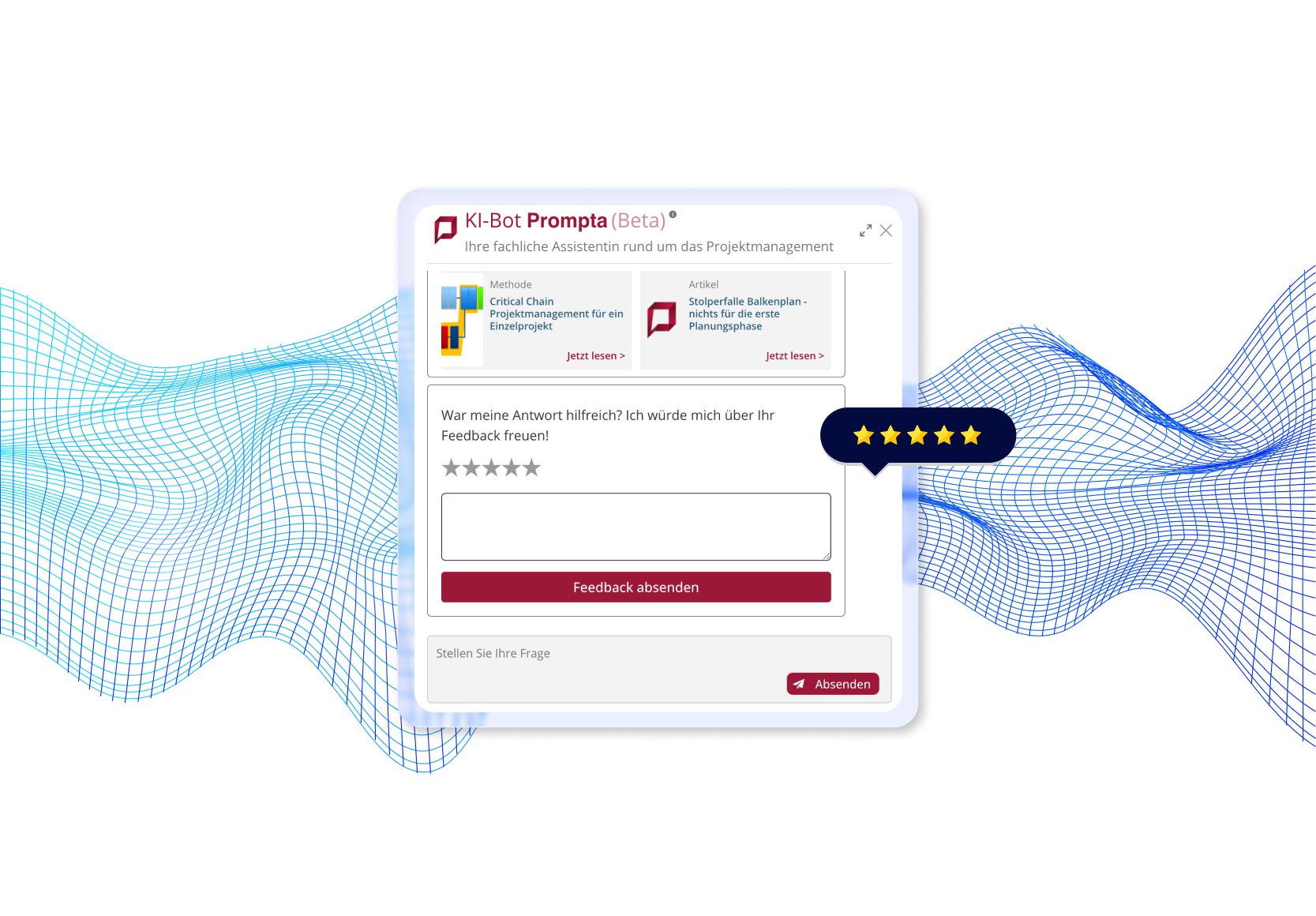
An example of a project in which we implemented real-time RAG with webhook synchronization
Explore the full case study: AI Document Chatbot →
Component 3: Nightly sync job
Webhooks provide real-time updates, but they're not infallible. Network failures, API timeouts, or webhook delivery issues can cause missed updates. Our nightly sync job acts as a safety net.
What it does every night at 2 AM:
- Fetch all content IDs from Drupal: query Drupal for complete lists of all articles, authors, terms, etc.
- Compare with indexed content: check Elasticsearch for what's currently indexed, including metadata timestamps.
- Detect discrepancies: identify content that exists in Drupal but not in the index, or content with timestamps showing it changed since indexing.
- Selective re-indexing: re-index only the content that's missing or stale—not the entire knowledge base.
- Consistency report: log statistics: how many items were out of sync, how many were re-indexed, success/failure rates.
CLI Commands for manual operations:
# Re-index all articles
flask index_articles

# Re-index all authors
flask index_authors

# Re-index specific entity
flask reindex_article --nid 12345

# Full consistency check across all types
flask verify_sync_all
This command-line interface enables the operations team to manually trigger re-indexing when needed, useful for troubleshooting or emergency updates.
Component 4: Consistency mechanisms
Several technical patterns ensure data integrity throughout the synchronization process.
Delete-before-insert pattern
When re-indexing a document, we always delete existing chunks before creating new ones. This prevents duplicates if the same content is indexed multiple times and ensures clean state transitions.
def reindex_document(doc_id, doc_type):
    # Step 1: Delete all existing chunks
    delete_query = {
        "query": {
            "bool": {
                "must": [
                    {"term": {"metadata.node_id": doc_id}},
                    {"term": {"metadata.type": doc_type}}
                ]
            }
        }
    }
    elasticsearch.delete_by_query(index="embeddings_index_v2", body=delete_query)

    # Step 2: Fetch fresh content and create new chunks
    fresh_content = fetch_from_drupal(doc_id, doc_type)
    new_chunks = chunk_content(fresh_content)

    # Step 3: Index new chunks
    index_chunks(new_chunks)
Elasticsearch refresh interval
We configure Elasticsearch with a 30-second refresh interval. This balances real-time visibility with system performance. New documents become searchable within 30 seconds of indexing, acceptable for our use case while preventing excessive refresh overhead.
For organizations requiring faster updates (e.g., breaking news), you can reduce this to 1-5 seconds at the cost of higher CPU and memory usage.
Metadata timestamps
Every indexed chunk includes metadata about when it was created and indexed:
chunk_metadata = {
    "node_id": "12345",
    "title": "Zero-Trust Architecture Guide",
    "type": "article",
    "indexed_at": "2025-10-28T14:32:10Z",
    "content_updated_at": "2025-10-28T14:30:00Z"
}
The nightly sync job compares these timestamps with Drupal's modification times to detect drift and trigger re-indexing only when necessary.
Read also: How We Improved RAG Chatbot Accuracy by 40% with Document Grading →
How is real-time data synchronization implemented in practice?
Let's examine the actual implementation patterns we use in production. While these examples are simplified for clarity, they represent real working code.
Webhook trigger in Drupal
Drupal's hook system makes webhook triggering straightforward:
<?php
/**
 * Implements hook_ENTITY_TYPE_update() for node entities.
 */
function ai_sync_node_update(NodeInterface $node) {
    // Only sync specific content types
    $sync_types = ['article', 'page', 'glossary_item', 'method'];

    if (!in_array($node->bundle(), $sync_types)) {
        return;
    }

    // Published nodes only
    if (!$node->isPublished()) {
        return;
    }

    // Determine entity type endpoint
    $entity_type_map = [
        'article' => 'articles',
        'page' => 'pages',
        'glossary_item' => 'glossary',
        'method' => 'methods',
    ];

    $endpoint_type = $entity_type_map[$node->bundle()];
    $webhook_url = "https://ai-api.example.com/embeddings/{$endpoint_type}/create";

    // Send webhook
    try {
        \Drupal::httpClient()->post($webhook_url, [
            'json' => ['nid' => $node->id()],
            'timeout' => 5,  // Don't block save operation
        ]);

        \Drupal::logger('ai_sync')->info(
            'Sent re-index webhook for @type @nid',
            ['@type' => $node->bundle(), '@nid' => $node->id()]
        );
    } catch (\Exception $e) {
        // Log error but don't prevent save
        \Drupal::logger('ai_sync')->error(
            'Webhook failed for @nid: @message',
            ['@nid' => $node->id(), '@message' => $e->getMessage()]
        );
    }
}
Key implementation details:
- Non-blocking: uses short timeout to prevent slow API from blocking content saves.
- Error handling: logs failures but doesn't prevent Drupal save operation.
- Selective sync: only triggers for relevant content types.
- Published only: drafts don't trigger webhooks (configurable based on needs).
Python API endpoint
Our Flask application exposes entity-specific endpoints:
from flask import Flask, request, jsonify
from services.elasticsearch_service import ElasticsearchService
from services.drupal_jsonapi import fetch_entity
from services.chunker import chunk_entity
app = Flask(__name__)
es_service = ElasticsearchService()
@app.route('/embeddings/<entity_type>/create', methods=['POST'])
def reindex_entity(entity_type):
    """
    Real-time re-indexing endpoint triggered by Drupal webhooks.
    Args:
        entity_type: Type of entity (articles, authors, glossary, etc.)
    Request body:
        {"nid": "12345"} or {"tid": "67890"}
    """
    try:
        # Parse request
        data = request.get_json()
        entity_id = data.get('nid') or data.get('tid')
        if not entity_id:
            return jsonify({'error': 'Missing entity ID'}), 400
        # Validate entity type
        valid_types = [
            'articles', 'authors', 'books', 'events', 'glossary',
            'methods', 'pages', 'page_managers', 'services',
            'software', 'terms', 'tools'
        ]
        if entity_type not in valid_types:
            return jsonify({'error': f'Invalid entity type: {entity_type}'}), 400
        # Step 1: Delete existing chunks
        deleted_count = es_service.delete_chunks_by_entity(
            entity_id=entity_id,
            entity_type=entity_type
        )
        # Step 2: Fetch fresh content from Drupal JSON API
        fresh_content = fetch_entity(entity_id, entity_type)
        if not fresh_content:
            return jsonify({'error': 'Entity not found in Drupal'}), 404
        # Step 3: Chunk the content
        chunks = chunk_entity(fresh_content, entity_type)
        # Step 4: Index new chunks
        indexed_count = es_service.index_chunks(
            chunks=chunks,
            index_name='embeddings_index_v2'
        )
        # Success response
        return jsonify({
            'status': 'success',
            'entity_type': entity_type,
            'entity_id': entity_id,
            'deleted_chunks': deleted_count,
            'indexed_chunks': indexed_count,
            'message': f'Successfully re-indexed {entity_type}/{entity_id}'
        }), 200
    except Exception as e:
        # Log error and return 500
        app.logger.error(f'Re-indexing failed for {entity_type}/{entity_id}: {str(e)}')
        return jsonify({
            'status': 'error',
            'message': str(e)
        }), 500
Implementation highlights:
- Entity validation: ensures only supported types are processed.
- Delete-before-insert: clean updates without duplicates.
- Comprehensive error handling: failures logged and returned as HTTP 500.
- Detailed responses: tells caller what happened (chunks deleted/created).
- Modular services: delegates to specialized services for Elasticsearch, Drupal API, chunking.
Read also: How to Choose Your RAG Stack – LangChain, LangGraph, Raw OpenAI →
Nightly sync job
The consistency check runs as a scheduled CLI command:
import click
from flask.cli import with_appcontext
from services.drupal_jsonapi import get_all_entity_ids
from services.elasticsearch_service import get_indexed_entity_ids
from datetime import datetime, timedelta

@click.command('sync_all_articles')
@with_appcontext
def sync_all_articles():
    """
    Nightly consistency check: ensure all Drupal articles are indexed.
    """
    click.echo(f'[{datetime.now()}] Starting article sync...')

    # Fetch all article IDs from Drupal
    drupal_article_ids = set(get_all_entity_ids('articles'))
    click.echo(f'Found {len(drupal_article_ids)} articles in Drupal')

    # Fetch all indexed article IDs from Elasticsearch
    indexed_article_ids = set(get_indexed_entity_ids('articles'))
    click.echo(f'Found {len(indexed_article_ids)} articles in Elasticsearch')

    # Find missing articles (in Drupal but not indexed)
    missing = drupal_article_ids - indexed_article_ids

    # Find orphaned chunks (indexed but no longer in Drupal)
    orphaned = indexed_article_ids - drupal_article_ids

    click.echo(f'Missing from index: {len(missing)} articles')
    click.echo(f'Orphaned in index: {len(orphaned)} articles')

    # Re-index missing articles
    for article_id in missing:
        try:
            click.echo(f'Re-indexing missing article: {article_id}')
            reindex_entity_by_id(article_id, 'articles')
        except Exception as e:
            click.echo(f'ERROR indexing {article_id}: {str(e)}', err=True)

    # Remove orphaned chunks
    for article_id in orphaned:
        try:
            click.echo(f'Removing orphaned chunks: {article_id}')
            es_service.delete_chunks_by_entity(article_id, 'articles')
        except Exception as e:
            click.echo(f'ERROR removing {article_id}: {str(e)}', err=True)

    # Check for stale content (Drupal modified > indexed timestamp)
    stale_count = check_and_reindex_stale_articles()

    click.echo(f'Sync complete. Stale re-indexed: {stale_count}')
    click.echo(f'[{datetime.now()}] Article sync finished.')

def check_and_reindex_stale_articles():
    """
    Check for articles modified in Drupal after indexing timestamp.
    """
    stale_count = 0

    # Get all indexed articles with timestamps
    indexed_articles = es_service.get_all_indexed_with_timestamps('articles')

    for article_id, indexed_at in indexed_articles:
        # Fetch Drupal modification time
        drupal_updated_at = get_drupal_entity_updated_time(article_id, 'articles')

        # Compare timestamps
        if drupal_updated_at > indexed_at:
            click.echo(f'Stale detected: {article_id} (Drupal: {drupal_updated_at}, Index: {indexed_at})')
            reindex_entity_by_id(article_id, 'articles')
            stale_count += 1

    return stale_count
Sync job features:
- Set-based comparison: efficiently identifies missing and orphaned content.
- Timestamp validation: catches content modified after indexing.
- Detailed logging: reports what it found and what it fixed.
- Error resilience: one failure doesn't stop the entire sync.
- CLI integration: runs via Flask CLI or cron.
Cron configuration:
# Run nightly sync for all content types at 2 AM
0 2 * * * cd /path/to/app && flask sync_all_articles
0 2 * * * cd /path/to/app && flask sync_all_authors
0 2 * * * cd /path/to/app && flask sync_all_glossary
# ... (repeat for each entity type)
What results can real-time data sync deliver in production?
Our real-time data synchronization system has been running in production for over 6 months with excellent reliability and user satisfaction.
Performance metrics
To illustrate how this architecture performs in real-world conditions, here are the key metrics we observed in production.
Update latency
- Content saved in Drupal → webhook received: <1 second.
- Webhook received → re-indexing complete: 3-8 seconds (depends on document size).
- Re-indexing complete → searchable in chatbot: <30 seconds (Elasticsearch refresh).
- Total: content available to users within 30 seconds of publication.
Synchronization coverage
- 11 entity types successfully synchronized.
- 10,000-15,000 total chunks across all types.
- 99.8% webhook success rate (monitored over 3 months)
- 0.2% missed webhooks caught by nightly sync.
System reliability
- Zero duplicates thanks to delete-before-insert pattern.
- Nightly sync catches 2-5 missed updates per night (from webhook failures).
- Zero orphaned chunks after implementing cleanup logic.
- Consistent state between Drupal and Elasticsearch verified daily.
Read also: How to Speed Up AI Chatbot Responses with Intelligent Caching →
Operational benefits
Beyond raw performance, real-time data synchronization also delivers several practical operational advantages that simplify workflows and reduce long-term maintenance.
Content team independence
Writers and editors publish content without worrying about indexing. The system handles synchronization automatically, removing a layer of technical complexity from their workflow.
Reduced maintenance burden
No manual re-indexing required. No scheduling coordination between content and development teams. The system self-maintains through webhooks and nightly consistency checks.
Failure transparency
When webhooks fail (network issues, API downtime), the nightly sync catches and fixes the gap automatically. The operations team receives daily reports but rarely needs to intervene.
Scalability proven
Adding new content types takes 2-4 hours:
- Create a Drupal webhook for a new type (30 minutes).
- Create Python endpoint (30 minutes).
- Implement entity-specific fetcher (1 hour).
- Implement entity-specific chunker (1-2 hours).
- Add CLI sync command (30 minutes).
We've successfully scaled from 1 content type (articles) to 11 types over the project lifecycle with no architectural changes.
When real-time sync makes sense (and when it doesn't)
Real-time data synchronization adds infrastructure complexity and operational overhead. Understanding when it's justified ensures you invest resources wisely.
Ideal use cases for real-time sync
Here are a few examples of situations where real-time data synchronization makes sense.
Frequently updated content
If your knowledge base receives daily or hourly updates, real-time sync is essential. News sites, product documentation, policy databases, and event calendars all benefit from immediate synchronization.
User-facing knowledge bases
When external users or customers access your chatbot, they expect current information that matches your website. Staleness in user-facing systems damages brand reputation and trust.
Multi-author CMS platforms
Organizations with dozens of content creators publishing independently need automated sync. Manual coordination scales poorly beyond a handful of editors.
Competitive differentiation
If competitors offer stale chatbots, providing real-time answers becomes your competitive advantage that drives adoption and loyalty.
Dynamic product documentation
SaaS companies releasing features weekly need documentation instantly searchable. Waiting 24 hours for batch indexing frustrates users learning new features.
When real-time sync may be overkill
For comparison, consider circumstances in which real-time data synchronization is unnecessary.
Infrequently updated content
If your knowledge base changes quarterly or less often, batch indexing suffices. The complexity of webhooks and real-time sync isn't justified for static content.
Internal knowledge bases with tolerance for lag
When users understand and accept that internal documentation might lag by a day, simpler scheduled indexing works fine. Real-time becomes "nice to have" rather than essential.
Small content sets
With fewer than 100 documents, even full re-indexing every hour completes quickly. The added complexity of webhook infrastructure may not be worth it.
Very tight budgets
Real-time sync requires additional infrastructure: webhook endpoint hosting, increased API traffic to CMS, more frequent Elasticsearch operations. If the budget is extremely constrained, daily batch indexing reduces costs.
Single-author blogs
Individual bloggers or small teams publishing a few posts monthly can manually trigger re-indexing when needed. The convenience of automation doesn't justify the setup effort.
Key considerations for decision
Before choosing whether to invest in real-time synchronization, it’s important to evaluate several practical factors that influence the overall value and complexity of the solution.
Assess content update frequency:
- Daily/hourly updates → real-time sync essential.
- Weekly updates → real-time nice to have.
- Monthly updates → batch indexing sufficient.
Evaluate user expectations:
- External users → expect real-time information.
- Internal team → may tolerate reasonable lag.
- Technical users → might accept "re-index manually" buttons.
Consider infrastructure complexity:
- Have DevOps resources for webhook maintenance?
- Comfortable debugging async systems?
- Monitoring and alerting infrastructure in place?
Calculate cost-benefit:
- What's the business cost of stale information?
- How many support tickets result from outdated answers?
- Does real-time sync justify additional infrastructure cost?
Real-time data synchronization for RAG – conclusion
Real-time RAG synchronization transforms your AI chatbot from a static snapshot into a living knowledge system that stays current with your content. By implementing webhook-based updates with nightly consistency checks, we achieved sub-30-second update latency across 11 content types while maintaining 99.8% reliability.
The key insight is recognizing that content freshness directly impacts user trust and system adoption. When users discover your chatbot gives outdated answers, they stop using it—regardless of how accurate or helpful it might be otherwise. Real-time sync ensures every published update reaches users immediately, building confidence in the system.
Our dual-layer architecture—webhooks for real-time updates, nightly sync for consistency—provides the best of both worlds: responsiveness when webhooks work perfectly, reliability when they fail. This redundancy means zero manual intervention required in 6+ months of production operation.
For our deployment handling 10,000+ chunks across 11 content types, the infrastructure investment was absolutely justified. Content teams publish confidently knowing their work appears instantly. Users trust the chatbot to provide current information. Operations teams rarely need to intervene. The system simply works.
If your knowledge base updates frequently and users expect current information, real-time data synchronization should be a foundational requirement, not an optional enhancement. Start with webhooks for your most-updated content type, prove the pattern works, then scale to additional types. The complexity is real but manageable, and the user experience transformation makes it worthwhile.
Want to build real-time RAG systems?
This blog post is based on our real production implementation of a system that delivers real-time content synchronization through webhooks, serving thousands of users across 11 dynamically updated content types. For the full breakdown of this project, explore our AI document chatbot case study.
Interested in building or optimizing a production-grade RAG system with real-time synchronization and strong consistency guarantees? Our team specializes in designing generative AI applications that remain accurate, fresh, and scalable even in fast-changing content environments. Visit our generative AI development services to learn how we can help you choose and implement the best architecture for your project.